

Premium AI tools like ChatGPT Plus, Claude, and Grammarly offer impressive capabilities, but their monthly fees quickly add up. With each subscription costing around $20 per month, a user who relies on two or three such services can spend $480 to $720 annually—before even considering per-token charges from cloud providers. The promise of local AI, however, offers a way to cut those costs drastically while gaining privacy, unlimited usage, and full control over your workflow.
Local large language models (LLMs) have matured rapidly. Open-source projects like Ollama, LM Studio, and GPT4All now provide user-friendly interfaces to run powerful models on personal hardware. Models such as Qwen3-Coder, Llama 3, Mistral, and Microsoft’s Phi-3.5 Mini rival cloud-based alternatives in many tasks, from code generation to grammar checking. The key advantage is that once you own the hardware—even a modest $200 machine—there are no recurring fees, no data leaving your computer, and no arbitrary usage caps.
The Cost Problem with AI Subscriptions
How Monthly Fees Accumulate
The financial burden of AI subscriptions is often underestimated. A developer might subscribe to ChatGPT Plus ($20/month) and GitHub Copilot ($10/month), while a writer may pay for Grammarly Premium ($12/month) and Claude Pro ($20/month). Together, that’s over $60 per month—$720 per year. Cloud token billing adds another layer, where long sessions or heavy experimentation can inflate costs unpredictably. Local AI eliminates all of this. After the initial hardware investment, the marginal cost of running a model is near zero (electricity aside).
What You Gain by Switching
Financial Savings and Beyond
Switching to local LLMs offers more than just money saved. First, privacy is a major benefit: no personal files, code, or drafts are sent to third-party servers. Second, you gain independence from provider changes; if a company hikes prices or discontinues a feature, your local setup remains unaffected. Third, local models can be fine-tuned on your own data, something closed services often restrict. And because you control the hardware, you can run models as long as needed without hitting timeouts or rate limits.
Replacing Three Subscription Apps
General Chatbots: ChatGPT Plus and Claude
For everyday AI assistance—answering questions, brainstorming, summarizing—a local model like Llama 3 8B or Qwen2.5-Coder-7B performs admirably. In fact, many benchmarks show open-source models closing the gap with proprietary ones. Using GPT4All, you simply download the model from its library, load it, and start chatting. The experience is nearly identical to cloud chatbots but without the monthly fee. The savings: up to $480 per year if you replace both ChatGPT Plus and Claude.
Writing Assistants: Grammarly
Grammarly Premium costs around $144 per year and often forces stylistic changes that feel unnatural. A small local model like Microsoft Phi-3.5 Mini or Llama 3.2 3B can handle grammar suggestions, rephrasing, and even style checks. Because everything runs locally, you can iterate on the same text hundreds of times without any extra cost. Many users find that a lightweight local model actually reduces the false positives and server-side issues common with Grammarly. The trade-off is minimal: you may lose a few proprietary features like plagiarism detection, but for most writing tasks, local models are sufficient.
Coding Assistants: GitHub Copilot and Windsurf
Code completion tools like GitHub Copilot ($10–$19/month) or Windsurf ($15/month) can be replaced by models like Qwen2.5-Coder-3B or DeepSeek Coder. With GPT4All’s built-in API, you can connect a local model to your code editor (VS Code, PyCharm, etc.) using Continue.dev or the built-in integrations. The setup is straightforward: install GPT4All, enable the “Developer Mode” API, and point your editor plugin to http://localhost:4891/api/chat. The result is a fully functional AI coding assistant that never sends your code to any external server. You save another $10–$20 per month.
Hardware Requirements
A $200 Machine Is Enough
You don’t need a high-end gaming rig to run local LLMs. Models like Phi-3.5 Mini (3.8B parameters) and Qwen2.5-Coder-3B can run on a computer with 8 GB of RAM and a decent CPU. A refurbished mini PC or an old laptop with an SSD often costs under $200. For larger models (7B–13B parameters), a GPU with 6–8 GB VRAM helps, but even CPU-only inference is viable with quantization. Many users dedicate an extra machine as a local AI server, accessing it over the network from their primary computer. This setup keeps resource-intensive tasks off the main workstation while maintaining full privacy.
Step-by-Step Setup with GPT4All
Installing and Configuring GPT4All
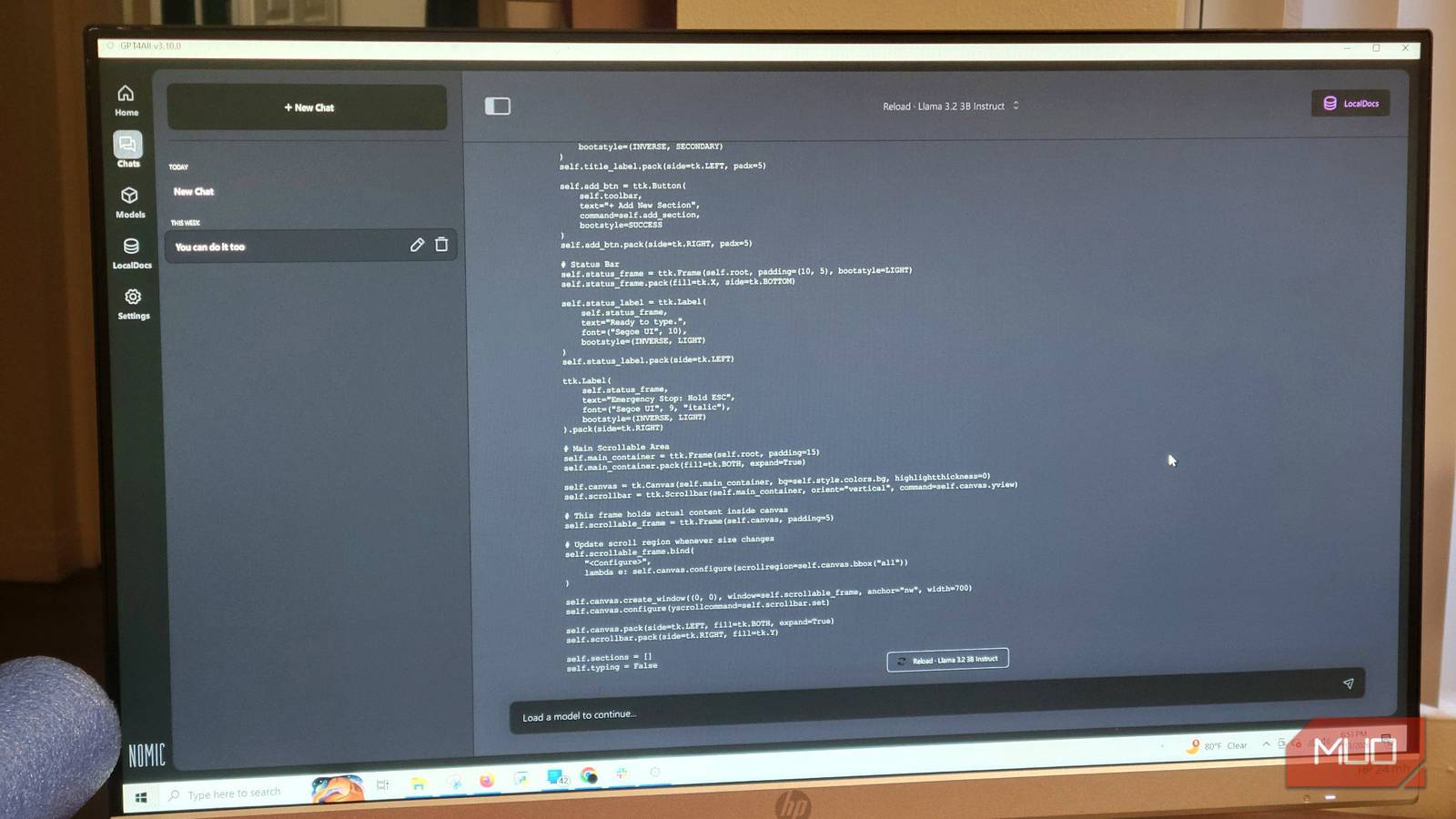
- Download GPT4All from the official website (nomic.ai/gpt4all). It supports Windows, macOS, and Linux.
- Launch the application and go to the Model Hub. Browse available open-source models. For a good balance of performance and speed, choose Qwen2.5-Coder-3B or Llama 3.2 3B. Click “Download” and wait for the model to be fetched (typically a few minutes).
- After download, select the model from the drop-down list in the chat interface. For slower computers, close other applications to free up memory.
- Adjust context length: In the Settings → Model tab, increase Max Length from 2048 to 4096 tokens (or higher if your RAM allows). This improves the model’s ability to handle long documents or conversations.
- Optional: Enable the Local API under Settings → Developer. This allows external tools (like code editors) to communicate with the model. The default endpoint is
http://localhost:4891.
Connecting to Visual Studio Code
To use the local model as a coding assistant, install the Continue extension in VS Code. In Continue’s settings, add a new “custom” provider and set the base URL to http://localhost:4891/api/chat with model name matching the one loaded in GPT4All. Once configured, you can use ⌘+I (Mac) or Ctrl+I (Windows/Linux) to trigger inline code completions and chat commands. The entire interaction stays local.
Real-World Performance
Does Local LLM Lag Behind Cloud?
Surprisingly, local models now match or surpass cloud-based counterparts in many benchmarks. For example, Qwen2.5-Coder-7B scores higher than GPT-3.5 on HumanEval (code generation). Llama 3 8B outperforms GPT-3.5 on general reasoning tasks. For writing tasks, even a 3B model can produce clean, human-like text. The main trade-off is speed: a local model on a CPU might take several seconds to generate a paragraph, whereas cloud models return results nearly instantly. However, this latency is acceptable for many workflows—especially if you use a dedicated server with a GPU. Additionally, local models have zero token costs, so you can generate long documents without worrying about price.
Privacy and Control
Your Data Never Leaves Your Machine
One of the strongest arguments for local LLMs is data sovereignty. When you use cloud AI services, your prompts, files, and code are uploaded to a remote server and often used for training or analysis. For sensitive projects—proprietary code, personal journals, legal documents—this is a security risk. Local models eliminate that risk entirely. Everything stays on your hard drive. There is also no danger of a provider changing its terms of service or suddenly raising prices. You own the software and the hardware.
The Open-Source Ecosystem
Why Community Models Are Getting Better
The open-source AI community is evolving rapidly. Organizations like Meta (Llama), Microsoft (Phi), Alibaba (Qwen), and Mistral AI release state-of-the-art models under permissive licenses. The Hugging Face Hub hosts thousands of variants fine-tuned for specific tasks—code generation, creative writing, summarization, etc. Tools like GPT4All, Ollama, and LM Studio make it trivial to switch between models. A user can download a new model in minutes and immediately compare its output with their previous one. This flexibility is something no closed subscription can offer.
Considerations and Limitations
What You Might Lose by Going Local
While local LLMs are impressive, they aren’t perfect for every scenario. Cloud models like GPT-4 and Claude Opus still lead in multimodal understanding (vision, audio), but local multimodal models are emerging (e.g., LLaVA). If your work requires cutting-edge vision recognition or long-context reasoning beyond 128k tokens, cloud may still be necessary. Also, local models require technical comfort with installing software and managing hardware resources. For users who prefer a zero-setup experience, subscriptions remain convenient. However, for developers, writers, and privacy-conscious users, the benefits of local AI now outweigh the drawbacks.
In short, by investing a few hours in setting up GPT4All and a modest $200 computer, you can replace three subscription apps and regain full control over your AI tools. The savings are immediate, the privacy is total, and the performance is more than adequate for day-to-day tasks. Once you experience the freedom of an uncapped, always-available local AI, you may never want to go back.
Source: MakeUseOf News