

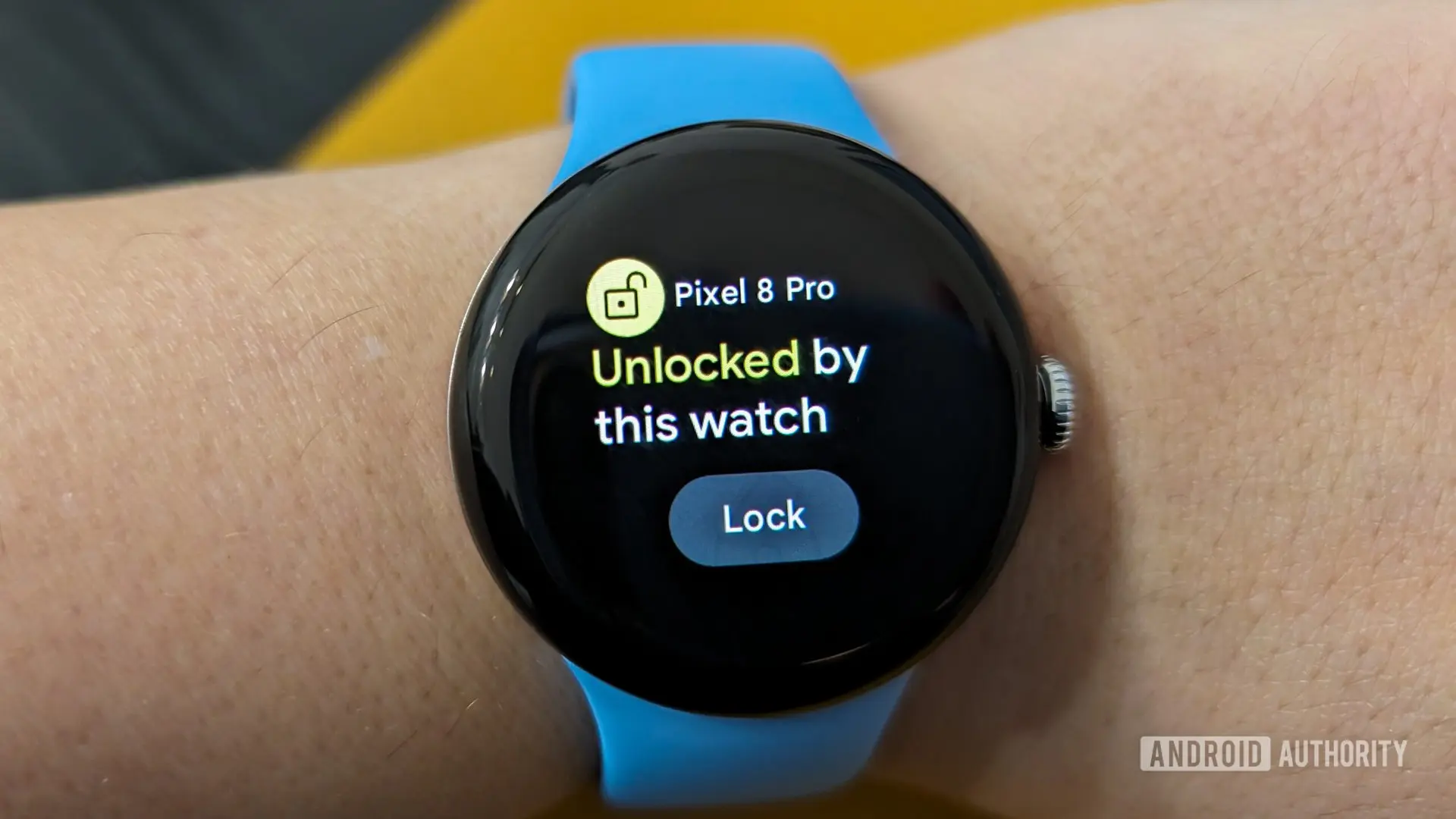
Google is reportedly developing a new feature for its Pixel Watch lineup that could significantly enhance the user experience for owners of the company's smartwatches. Dubbed "Phone to Watch Unlock," the feature would automatically unlock your Pixel Watch whenever you unlock your paired Pixel phone, effectively flipping the current Watch Unlock functionality that uses the watch to unlock the phone. This development, uncovered through code strings in Google's Connected Phone & Watch services app, suggests a deeper integration between Pixel devices and a move toward seamless cross-device authentication.
How the Existing Watch Unlock Works
Currently, Google offers a Watch Unlock feature that allows Pixel Watch owners to unlock their Pixel phone by simply unlocking their watch. This is particularly useful when the phone is in a pocket or bag, or when the user's hands are full. The watch acts as a trusted device, sending a cryptographic handshake to the phone to bypass the lock screen. However, this works only one way: the watch can unlock the phone, but the phone cannot unlock the watch. The proposed Phone to Watch Unlock feature would complete the circle by allowing the phone to unlock the watch, saving users from having to enter a PIN or pattern on the small watch display every time they take it off.
Code Strings Reveal the Feature
Evidence of the feature comes from a teardown of Google's Connected Phone & Watch services app, a Pixel-exclusive application that already powers features like Left Behind notifications and the ability to lock the phone when left behind. Within the app's code, strings were found referencing a "cross_device_unlock" function, with titles such as "Unlock your watch with this phone" and messages like "Skip entering a PIN or pattern. Simply unlock your phone to use your watch." These strings indicate that the feature is designed to be user-friendly, with promotional notifications like "Automatically unlock your watch?" and "Unlocking your watch just got easier," suggesting Google plans to actively prompt users to enable it after setup.
The code also includes status messages for the process: "Unlocking your watch" during authentication and "Watch unlocked" upon completion. Additionally, a one-time setup is required, as indicated by strings asking users to "Enter current PIN/Pattern on your watch" to verify the existing credentials before the phone is allowed to unlock it automatically. This security measure ensures that only the rightful owner can enable the feature.
Benefits of Phone to Watch Unlock
The primary advantage of Phone to Watch Unlock is convenience. Currently, when you remove a smartwatch—even for a moment, like to shower or charge it—you often have to re-enter a PIN or pattern upon putting it back on. This can be annoying, especially on a small screen where typing is error-prone. With Phone to Watch Unlock, your phone acts as a trusted authenticator: as soon as you unlock your phone, the watch is automatically unlocked, eliminating the need to manually unlock the watch multiple times a day.
For users who keep their phones locked with biometrics (fingerprint or face unlock) but prefer a simple PIN on their watch, this feature bridges the gap. It also reduces friction when switching between devices during the day. For example, if you leave your desk and take off your watch for a meeting, you won't have to fiddle with the watch screen to unlock it later—just unlock your phone and the watch follows suit.
Exclusivity and Platform Integration
The fact that the code appears in the Pixel-exclusive Connected Phone & Watch services app strongly suggests that Phone to Watch Unlock will be limited to Pixel phones and Pixel Watches, at least initially. This is consistent with Google's strategy to differentiate its hardware ecosystem through exclusive software features. While Wear OS is an open platform used by many manufacturers (Samsung, Fossil, etc.), Google reserves certain capabilities for its Pixel lineup. This feature could be a significant selling point for potential Pixel Watch buyers who also own a Pixel phone.
Moreover, the app's code hints at a device migration capability: one string reads, "Unlocking your phone will now unlock %1$s instead of %2$s," indicating that users who upgrade to a new Pixel Watch can transfer the trusted relationship without rebuilding the entire setup. This shows Google's foresight in maintaining a seamless experience across device generations.
Security and Privacy Considerations
While convenience is paramount, security must not be compromised. The feature relies on the trust relationship between the phone and watch, which is established during initial setup. The phone must be in close proximity to the watch for auto-unlock to work. This prevents a remote attacker from unlocking your watch just because they have access to your phone—both devices need to be physically near each other. Additionally, the watch will still require a PIN or pattern when first put on, or after it has been off the wrist for a while, as part of Google's on-body detection mechanisms.
The one-time setup requiring the user to enter the watch's current PIN ensures that you cannot enable the feature without knowledge of the watch's credentials. Furthermore, the phone's unlock method—whether PIN, pattern, or biometric—must be satisfied before the trigger is sent to the watch. This creates a chain of trust that is resistant to simple attacks.
Comparison with Competitors
Google is not the first to explore phone-to-watch unlocking. Apple's ecosystem has long allowed an Apple Watch to unlock a nearby iPhone, and more recently, the iPhone can unlock the Apple Watch when worn. Samsung's Galaxy Watches also offer a similar feature called "Auto unlock" with Galaxy phones, albeit with some limitations. However, Google's implementation appears to be more integrated, perhaps leveraging the same underlying secure channels used for other cross-device features like the Watch Unlock for phone.
What sets Google's approach apart is the use of the Connected Phone & Watch services app as a centralized hub for all cross-device automation. This app already handles left-behind alerts, lock-phone-when-left-behind, and probably more in the future. By centralizing these functions, Google ensures consistent security policies and a unified user experience.
Potential Rollout and Future Implications
The feature is not currently live, and Google has not officially announced a release date. Given that the code strings are already present in the app, it may be part of a future Pixel Feature Drop or an update to the Connected Phone & Watch services app. Some analysts speculate it could debut alongside the next generation of Pixel Watches or a major Android update. The fact that Google has invested in both unlocking directions (phone to watch and watch to phone) suggests a long-term vision where Pixel devices work as a cohesive unit, with each device able to authenticate the other depending on context.
This could also pave the way for even more advanced features, such as unlocking a Pixelbook or Pixel Tablet with a Pixel Watch, or using the watch as a universal key for all Google devices. The technology behind these unlocks is likely based on secure proximity sharing, similar to Google's Fast Pair or Nearby Share protocols, but with cryptographic verification.
Technical Underpinnings
While specifics are scarce, Phone to Watch Unlock probably uses Bluetooth Low Energy (BLE) to maintain a persistent connection between the phone and watch. When the phone is unlocked, it sends a signed token to the watch over an encrypted channel. The watch verifies the token against its stored secret and then unlocks its screen. This handshake must be fast—under a second—to feel instant. The code strings indicate status messages like "Unlocking your watch," which suggests a brief animation or notification during the process.
For users upgrading to a new watch, the transferability string implies that the cryptographic keys or trust relationship can be moved from one device to another via the Connected Phone & Watch services app, likely through a cloud backup or direct device-to-device transfer. This is a thoughtful addition that reduces setup friction.
User Experience and Usability
Notifications play a key role in onboarding. The code includes promotional notifications such as "Automatically unlock your watch?" that appear after the feature is detected as available, prompting the user to set it up. Once enabled, the watch will unlock automatically each time the phone is unlocked, with no additional user action required. However, users can still choose to lock the watch manually by removing it or using a quick settings toggle. The feature is likely optional, so those who prefer the extra security of entering a PIN on the watch every time can leave it disabled.
On-body detection might also interact with this feature: if the watch detects it is not being worn, it will not unlock, even if the phone is unlocked. This prevents unwanted unlocks when the watch is on a charger or lying on a table.
Conclusion Not Included
The development of Phone to Watch Unlock represents a logical evolution of Google's cross-device ecosystem. By allowing a phone to unlock its paired watch, Google addresses a common pain point for smartwatch users: the inconvenience of repeatedly entering a PIN on a small screen. Combined with the existing Watch Unlock feature, Pixel users will soon have a two-way authentication highway that makes the entire experience more fluid. As with all features uncovered in code, there is no guarantee of a public release, but the thoroughness of the strings—covering setup, notifications, status updates, and device migration—suggests internals are nearing completion. Pixel Watch owners have much to look forward to, as Google continues to refine the synergy between its hardware and software.
Source: Android Authority News