

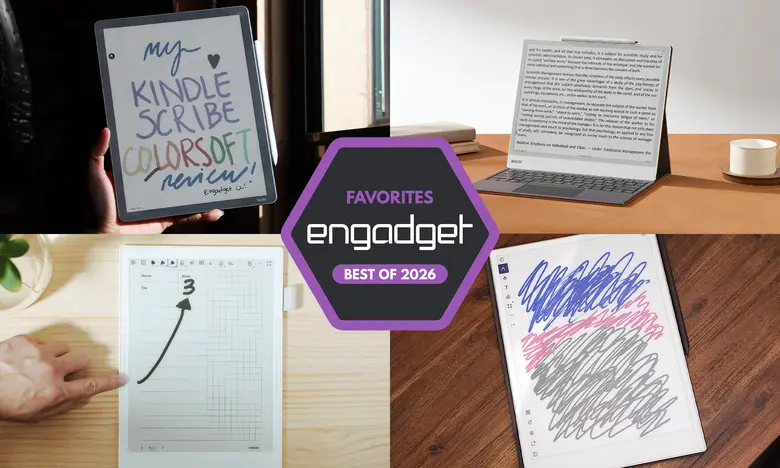
E Ink tablets have become a compelling alternative to traditional tablets for anyone who loves writing by hand and reading for long periods. These devices offer the tactile satisfaction of a paper notebook, the portability of a digital gadget, and screens that are much easier on the eyes than an LCD or OLED panel. In the past few years, the category has expanded dramatically: there are now models with color displays, front lights, Android app support, and even AI-powered search. We've spent hours testing nearly a dozen E Ink tablets to see which ones deliver the best reading and writing experiences. Here are the best E Ink tablets for 2026.
Best E Ink tablets for 2026
reMarkable 2: Best E Ink tablet for most people
The reMarkable 2 remains the best E Ink tablet for most people because it offers the ideal mix of usability, design, and performance. It has a 10.3-inch monochrome digital paper display, weighs less than a pound, and feels as sleek as any premium gadget on the market. The writing experience is superb: the Marker Plus has near-zero latency, pressure sensitivity, and tilt support, making it feel remarkably close to pen on paper. The device also supports PDF and EPUB files, and you can easily send documents to it from Google Drive, Microsoft OneDrive, Dropbox, or via the Read with reMarkable Chrome extension. The interface is simple and intuitive, so you can start taking notes without a steep learning curve. That said, the tablet costs $399 with the standard Marker, and the Marker Plus bundle is $449. A reMarkable Connect subscription ($3 per month or $30 per year) is required for unlimited cloud storage and syncing, though a one-year trial is included.
reMarkable Paper Pro: Best premium E Ink tablet
The reMarkable Paper Pro is the luxury pick. It features a larger 11.8-inch Canvas Color display, which uses a modified version of E Ink Gallery 3 technology to produce 20,000 colors. The screen allows you to highlight and write in color, and the 12ms pen latency makes writing feel instant. The Paper Pro is also faster than the reMarkable 2 thanks to a 1.8GHz quad-core processor, 2GB of RAM, and 64GB of storage. The design is refined, with a slim 5.1mm profile and grooved edges. It costs $629, but that price includes a standard Marker. The optional Connect subscription adds unlimited cloud storage and mobile app access. If you want the best possible E Ink writing experience and don't mind paying a premium, this is the one.
Amazon Kindle Scribe: Best e-reader E Ink tablet
The Kindle Scribe is the best E Ink tablet for people who live in Amazon's ecosystem. The latest model has an 11-inch display, a faster processor, and an improved front light system. The included Premium Pen is comfortable and attaches magnetically to the tablet. The Scribe lets you write in notebooks, take sticky-note annotations in Kindle books, and mark up PDFs. Performance is noticeably snappier than earlier models, and writing latency is very low. The device integrates seamlessly with your Kindle library, which is a huge advantage if you already buy ebooks from Amazon. Prices start at $430 for the no-front-light version, $500 for the standard version with a front light, and $630 for the Scribe Colorsoft with a color display. The Scribe also includes AI Search, which can search and summarize your handwritten notes, though it's still a bit hit-or-miss.
Supernote A6 X2: Best E Ink tablet for writing and note-taking
The Supernote A6 X2 is the best E Ink tablet for serious note-takers. It has a 7.8-inch screen that makes it highly portable, and it uses a FeelWrite 2 screen protector that provides a smooth, paper-like writing surface. The tablet runs on Android, so you can install apps like Kindle, but the real strength is in its notebook software. You can create custom templates, use the lasso-and-keyword feature to tag handwritten notes, and convert your handwriting to typed text with impressive accuracy. The device is also user-repairable, with a replaceable battery and a microSD slot. The A6 X2 costs $329, but the stylus is an extra $89. A larger 10.7-inch Manta version is available for $505. If you want a dedicated writing tool that prioritizes organization and customization, the Supernote is excellent.
Onyx Boox Note Air4 C: Another color-display option
The Onyx Boox Note Air4 C is a 10.3-inch color E Ink tablet that runs Android 13 and gives you access to the Google Play Store. That means you can install Kindle, Kobo, and other reading apps, as well as use a web browser and even watch videos, though E Ink screens are far from ideal for video. The writing experience is smooth, with multiple brush styles and the ability to create colored notes and shapes. The tablet supports a wide range of file formats, and you can share notes as PDFs or PNGs via email or cloud services. The Note Air4 C costs $529 and includes a stylus. It's a great choice if you get your reading material from multiple sources and want the flexibility of Android on an E Ink device.
Onyx Boox Note Max: A big-screen option
If you want a truly large E Ink display, the Onyx Boox Note Max is your best bet. It has a 13.3-inch Carta 1300 screen with 300 dpi, making it feel like a legal-pad-sized sheet of digital paper. The size is perfect for those who prefer large notebooks and for viewing PDFs without zooming. It runs Android 13 with access to the Play Store, and it comes with a stylus and a cover in the box. The battery life is rated in weeks, and the 128GB of storage is generous. However, there's no front light, and the $689 price tag puts it on the higher end of the spectrum. Still, for anyone who wants maximum screen real estate and doesn't mind the bulk, the Note Max is a wonderful option.
reMarkable Paper Pro Move: Honorable mention
For those who want a smaller and cheaper reMarkable, the Paper Pro Move is a 7.3-inch version of the Paper Pro. It has the same Canvas Color display and excellent build quality, but in a more portable size. It's a great option for on-the-go note-taking, and it costs $449 with the standard Marker. Battery life is solid, and the software is identical to the full-size Paper Pro. The downside is that there's no keyboard folio, so you're limited to the on-screen keyboard. But if you're looking for a premium, compact E Ink writing tablet, this is worth considering.
Kobo Libra Colour: Honorable mention
The Kobo Libra Colour is a 7-inch ereader with color and stylus support. It lets you highlight text, write in margins, and create notebooks, but you'll need to buy the Kobo Stylus separately for $70. The device has a crisp display, page-turn buttons, and a faster processor than many rivals. It supports Dropbox and Google Drive integration, making it easy to upload notes. At $219 for the tablet and $300 with the stylus, it's cheaper than the Kindle Scribe. If you prefer Kobo's ecosystem and don't need a huge screen, it's a great value.
Are E Ink tablets worth it?
E Ink tablets are a worthwhile purchase for a specific subset of people. If you value the paper-like look and feel of an e-paper display, want a more distraction-free writing experience, or simply prefer reading on a non-glare screen, these devices make a lot of sense. They are not replacements for iPads or laptops; they are purpose-built tools for reading, writing, and note-taking. The lack of typical app connectivity is often a feature, not a bug, for those who want to escape the constant buzz of notifications.
What to look for in an E Ink tablet
Writing and latency
The most important factor is the writing experience. Look for low pen latency, good pressure sensitivity, and a stylus that feels comfortable for long sessions. Some tablets include a stylus in the box, while others make you pay extra — check before you buy.
Reading
Consider the screen size and file format support. Most E Ink tablets are larger than a typical ereader to accommodate writing, but that can make them more awkward to hold for reading. If you plan to read ebooks, choose a device from a company with a strong book ecosystem, like Amazon or Kobo, so your existing purchases are automatically available.
Search functionality
Some E Ink tablets let you search handwritten notes and markups, which is incredibly useful for research and review. Look for models with handwriting recognition and keyword features if this matters to you.
Sharing and connectivity
Most E Ink tablets have Wi-Fi, and many support cloud syncing, companion apps, and exporting notes via email. However, none integrate directly with Evernote or OneNote, so they work best as standalone tools.
Price
E Ink tablets typically cost between $300 and $800. Smaller devices tend to be cheaper, but they may not offer stylus support or large enough screens for serious note-taking. Prices have risen recently due to supply chain costs, so be prepared to pay a premium for newer models.
Source: Engadget News