

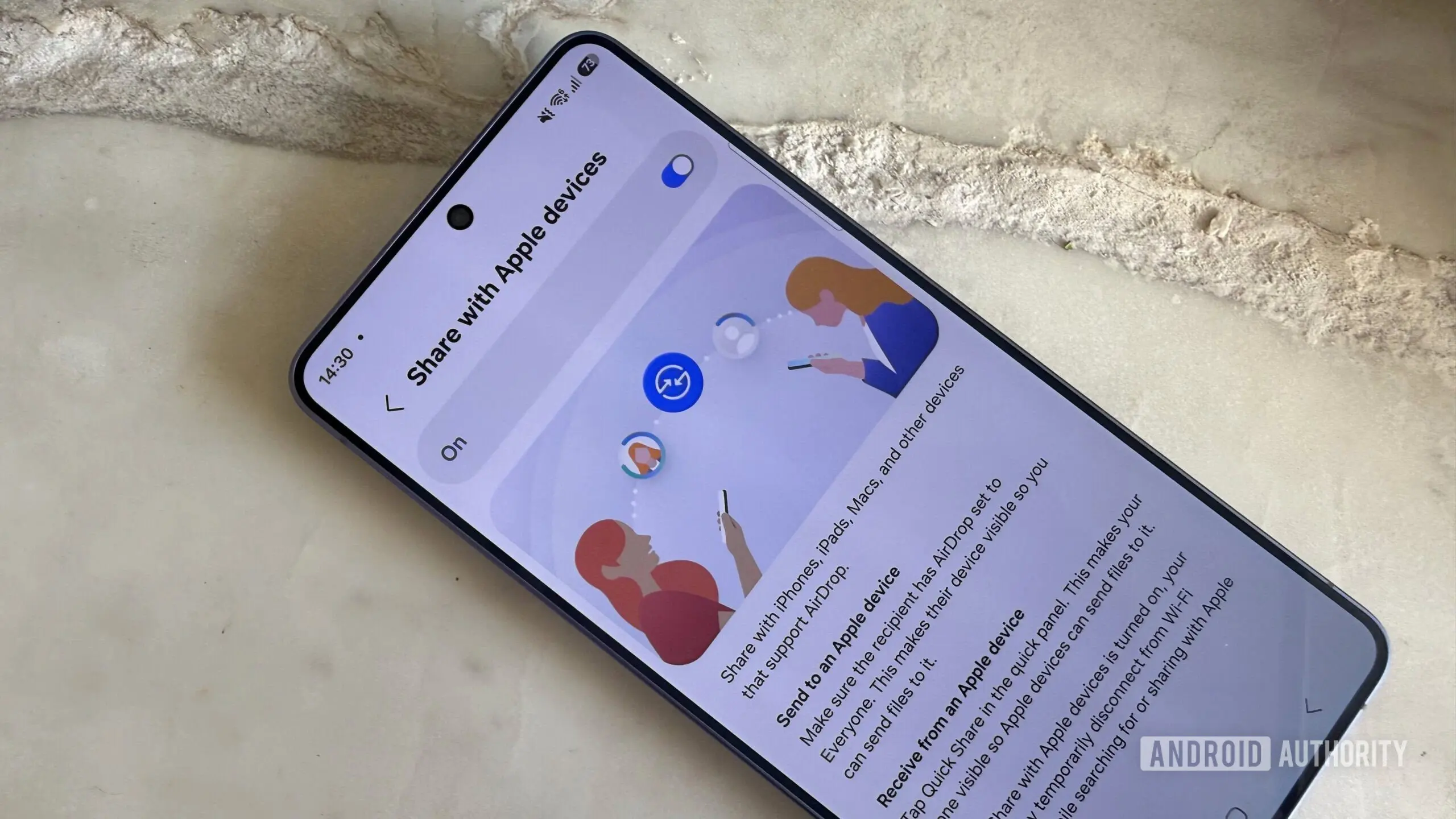
Sharing a photo or document with a nearby phone has become second nature, but new security research suggests that the convenience behind AirDrop and Quick Share has a much larger attack surface than many realize. A wave of vulnerabilities in Apple’s AirDrop and Android’s Quick Share puts well over five billion active devices at risk. A bad actor doesn’t need to touch your phone, send you a phishing link, or share your Wi-Fi network — they just need to be within 30 meters of you with a laptop, researchers at the CISPA Helmholtz Center for Information Security have found.
How the Vulnerabilities Work
The research team dissected both ecosystems to understand how they handle wireless file transfers. These features run as highly privileged services in the background that wake up the second another device comes near, because they prioritize a seamless experience. On the Apple side, a background daemon known as sharingd controls AirDrop, AirPlay, Handoff, Universal Clipboard, and Continuity Camera. The vulnerability exploits a malformed request that crashes this entire daemon. If an attacker loops that request every few seconds, they can essentially hold the Apple ecosystem hostage, keeping those features permanently offline.
Quick Share, which is Google’s near-field communication-based file transfer protocol, faces similar issues. The researchers tested a Samsung Galaxy S23 Ultra and Google’s Windows client, discovering logic bypasses that allowed attackers to completely bypass critical authentication steps. They even found a memory corruption bug on the Windows side. The fundamental problem: both Apple and Google sacrificed security for convenience by exposing complex background processes before verifying the identity of the sender.
Scope of the Threat
According to the researchers, the vulnerabilities affect more than five billion devices worldwide. Apple devices running iOS or iPadOS prior to the latest updates are vulnerable, as are Android devices with Quick Share enabled. The attack vector is purely wireless and requires no physical interaction. An attacker only needs a laptop with a suitable wireless adapter to send specially crafted packets. The range is up to 30 meters (about 100 feet), meaning a malicious actor could target people in a crowded coffee shop, airport, or public transit.
It’s important to note that these are not data-theft vulnerabilities. Attackers cannot quietly steal private photos or files. For the average user, the primary impact is a denial-of-service (DoS) attack. The attacker can repeatedly crash the background service, preventing legitimate file transfers from working. However, for users who rely on AirDrop or Quick Share for daily productivity, this can be a major frustration. For power users and businesses, the impact is more severe: the attack can block critical workflows involving AirPlay, Handoff, or continuuity features.
Background on AirDrop and Quick Share
AirDrop was introduced by Apple in 2011 with iOS 7 and macOS X Lion. It uses Bluetooth to discover nearby devices and Wi-Fi Direct to transfer files. Quick Share, originally a Samsung feature, was adopted by Google in 2020 as a cross-Android alternative to AirDrop and later integrated into Windows. Both protocols prioritize speed and ease of use. They automatically advertise their presence when the sharing setting is set to "Everyone" or even "Contacts Only." The background service listens for incoming connections without first authenticating the sender, which is exactly what the CISPA researchers exploited.
Historically, similar vulnerabilities have been found in AirDrop. In 2019, a researcher demonstrated that AirDrop could leak phone numbers and email addresses. Apple partially addressed that issue in iOS 13. However, the current set of bugs is more fundamental — it affects the core service daemon.
Mitigation Steps
While Apple and Google are deploying patches, users should not wait. The most vulnerable users are those who have their devices set to accept files from "Everyone." To protect yourself:
- On iPhone/iPad: Go to Settings > General > AirDrop and change visibility to "Contacts Only" or turn it off entirely when not in use.
- On Android: Open Quick Share settings (usually in the notification shade or Settings > Connected devices) and set visibility to "Contacts" or "Off." If you need temporary sharing, set it to "Everyone" only for the duration of the transfer, then revert.
- On Windows (Quick Share client): Ensure you have the latest update. Google has already released a fix for the Windows client.
Additionally, users can disable Bluetooth when not needed. Because the initial discovery uses Bluetooth Low Energy, turning off Bluetooth stops the attack. However, this also disables other features like Bluetooth headphones and smartwatches. A more surgical approach is to keep Bluetooth on but set sharing to "Off" in the quick settings.
Current Status of Fixes
Apple has already fixed one of the three AirDrop bugs in a recent update (likely iOS 18.0.1 or similar). Google patched the Windows client vulnerability. However, the logic bypasses on Samsung devices are still under development or under coordinated disclosure. This means Samsung Galaxy owners need to be extra cautious until a firmware update arrives. The researchers reported the issues responsibly, and both companies are working on full mitigations.
In the meantime, the paper from CISPA provides detailed technical analysis. They note that the fundamental flaw is architectural: both systems trust the initial handshake without authentication. Redesigning the discovery process to require a cryptographic identity check before exposing background services would mitigate this class of attack. However, such a change could impact the seamless experience that users love.
Implications for the Industry
This research highlights a recurring tension in wireless communication protocols: convenience versus security. Bluetooth-based proximity services like AirDrop and Quick Share are designed to be friction-free, but that design choice opens a window for denial-of-service attacks. The industry needs to move toward authenticated discovery, perhaps using public-key cryptography or short-range NFC tokens that require physical proximity.
For now, the best defense is user vigilance. Set your sharing preferences to the most restrictive option that still meets your needs. Remember that even "Contacts Only" mode still exposes the service to potential attack, though it reduces the attack surface. The researchers confirmed that in "Contacts Only" mode, the device still responds to discovery requests from unknown devices but then checks the contact database. That initial response is what triggers the vulnerability. So while contacts mode is safer, it is not completely immune. The safest option is to disable receiving altogether when not actively transferring files.
As the digital ecosystem grows more interconnected, such vulnerabilities will likely become more common. The five billion affected devices include not just smartphones but tablets, laptops, and even some smart home devices that use similar proximity protocols. Users should treat their device’s file-sharing settings with the same caution they apply to a home’s front door: leave it open only when expecting a guest.
Source: Android Authority News