

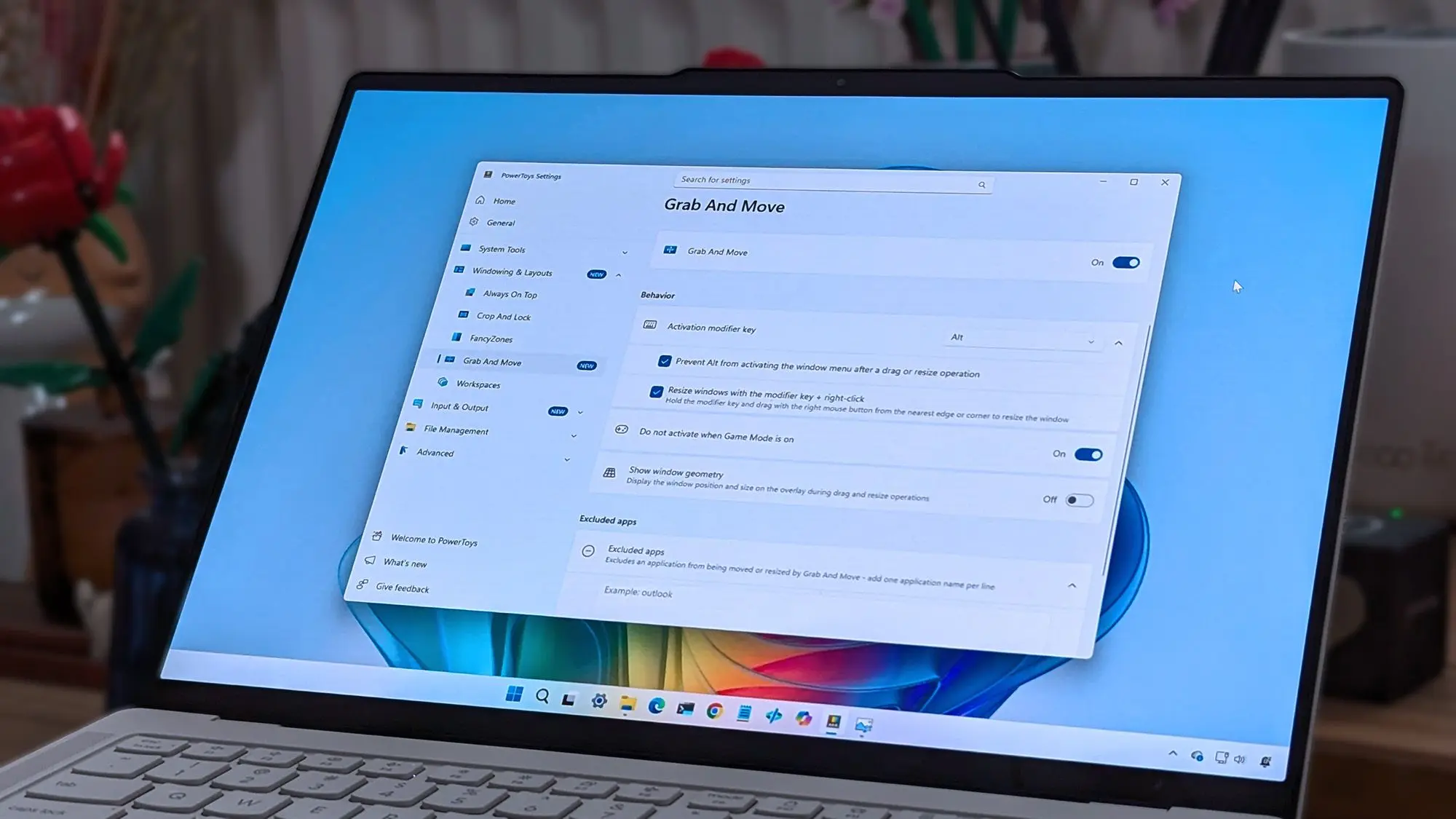
Microsoft PowerToys, the popular suite of productivity tools for Windows, has received a substantial update that quashes a number of persistent bugs. The latest release focuses on improving stability and resolving crashes that had been affecting key utilities. PowerToys, which includes tools like FancyZones, PowerRename, Keyboard Manager, and PowerToys Run, has become an indispensable asset for power users and developers alike. However, recent builds introduced several regressions that caused frustration among its user base.
Key Bug Fixes in the Latest Update
The most critical fixes target FancyZones, the window management tool that allows users to create custom layouts. Many users reported that FancyZones would crash unexpectedly when dragging windows between zones or when trying to edit zone layouts after a system resume. The latest patch resolves these crashes by correcting memory handling and improving the event loop that monitors window positioning. Similarly, PowerRename, which offers advanced bulk renaming capabilities, had been suffering from a bug that caused it to hang when processing a large number of files. The new update optimizes the underlying regular expression engine and introduces a progress indicator that prevents the UI from freezing.
Another major fix addresses an issue with PowerToys Run, the application launcher that provides quick access to files and commands. In some configurations, PowerToys Run would fail to index certain folders or would return incorrect results after the system had been running for extended periods. The update improves the indexing algorithm and clears the cache more efficiently. Additionally, the Keyboard Manager, which allows users to remap keys and create custom shortcuts, now correctly handles modifier keys like Ctrl and Alt when used in combination with media keys. This bug had caused unexpected behavior such as launching multiple instances of an application or muting the system volume unintentionally.
Stability Improvements Across the Board
Beyond the specific tool fixes, the update includes numerous general stability enhancements. The PowerToys background service, which runs continuously to enable features like peeking at files and previewing images, had been consuming more CPU than expected in certain scenarios. This has been reduced by optimizing the file watcher and reducing the frequency of cache updates. The issue was particularly noticeable on systems with many open windows or high disk activity. Users who experienced random crashes or high resource usage should see a marked improvement after installing this update.
Additionally, the update addresses compatibility with recent Windows 11 builds. Microsoft has been rolling out cumulative updates that sometimes break third-party utilities. PowerToys now handles the new Windows notification system more gracefully and does not interfere with native screen snapping features. This ensures that users can continue to enjoy both PowerToys and the latest Windows improvements without conflict.
Background on PowerToys
PowerToys was originally introduced by Microsoft in the Windows 95 era as a set of experimental utilities. After a long hiatus, the project was revived in 2019 as an open-source initiative under a Microsoft garage project. Since then, it has grown to include over a dozen modules, each designed to enhance productivity. The toolset is maintained by a combination of Microsoft engineers and community contributors on GitHub. Regular updates are released approximately every month, with a focus on adding features and fixing issues reported by users.
Over the years, PowerToys has become a must-have for many power users. Its ability to customize window layouts, rename files in bulk, and launch applications quickly has saved countless hours. The community surrounding PowerToys is active, with users frequently submitting feature requests and bug reports. The development team relies heavily on this feedback to prioritize fixes. The latest bug-squashing update is a direct result of user reports about instability after the previous release.
Detailed Breakdown of Resolved Issues
Let's delve deeper into the specific bugs that have been squashed. One notable issue was with the Color Picker tool. When the user activated the color picker using the default shortcut (Win+Shift+C), the tool would sometimes capture the wrong pixel or fail to activate at all. This was due to a race condition in the DirectX overlay that PowerToys uses to render the magnified preview. The fix ensures that the overlay is properly initialized before the tool tries to capture colors.
Another bug affected the Image Resizer module. When resizing multiple images simultaneously, the tool would occasionally produce corrupted output or crash if one of the files was locked by another process. The update now checks for file locks before attempting processing and provides a clearer error message if a file cannot be accessed. Additionally, the context menu integration in File Explorer has been improved. In some cases, right-clicking on a file would not show the PowerToys options (e.g., Image Resizer, PowerRename) if the user had customized their context menu. The update fixes the underlying registry entries and fallback logic.
The FancyZones editor also received attention. Users reported that after creating a complex layout with many zones, the editor would become unresponsive or would not save the layout correctly. The problem was traced to a memory leak in the zone layout rendering engine. By converting certain data structures to use lazy loading, the editor now handles large layouts without performance degradation. Furthermore, the update includes a fix for zone highlighting — zones now display correctly on high-DPI monitors and when the taskbar is set to auto-hide.
How to Update
To get these fixes, users should download the latest version from the official PowerToys GitHub releases page or via the Microsoft Store. Those who have installed PowerToys with the auto-update feature enabled will receive the update automatically within a few days. It is recommended to restart the PowerToys background service after updating to ensure all changes take effect. The version number for this release is 0.76.1, and the release notes provide a complete list of changes.
For users who prefer to update manually, the process is simple: if using the Store version, check for updates in the Microsoft Store app; if using the GitHub installer, download the .exe or .msi package and run the installer, which will automatically replace the previous version. The update retains all existing settings and layouts, so no reconfiguration is necessary.
Community Reactions
The response from the PowerToys community has been overwhelmingly positive. Several users on social media and the project's issue tracker have expressed relief that the crashing issues have been resolved. One user noted that the FancyZones fix alone has made their multi-monitor workflow much more reliable. Another praised the faster performance of PowerToys Run after the indexing improvements. The development team has also acknowledged that they are aware of remaining issues and are working on the next batch of fixes, including better support for ARM64 devices and improved integration with Windows 11's snap layouts.
Looking forward, the PowerToys team has hinted at new features in development, such as a Screen Ruler tool and an improved Clipboard Manager that will support cloud sync. The current update sets a solid foundation for these upcoming additions by ensuring that the core utilities are stable. As PowerToys continues to evolve, it remains a shining example of Microsoft's commitment to open-source development and community collaboration. The bug-squashing update reinforces the project's dedication to quality and user satisfaction.
In summary, the latest PowerToys release addresses a collection of bugs that had been undermining the utility's reliability. From FancyZones crashes to PowerRename hanging, the fixes cover the most commonly reported issues. Users are advised to update at their earliest convenience to enjoy a smoother, more productive experience. With the foundation now stable, attention turns to adding new capabilities that will further empower Windows users to customize and optimize their workflows.
Source: Windows Central News